Connect Google Search Console and monitor clicks, impressions, CTR, and keyword positions — all without leaving wp-admin.
All the GSC data you need — clicks, impressions, CTR, keyword rankings,
and top pages — surfaced right inside WordPress.
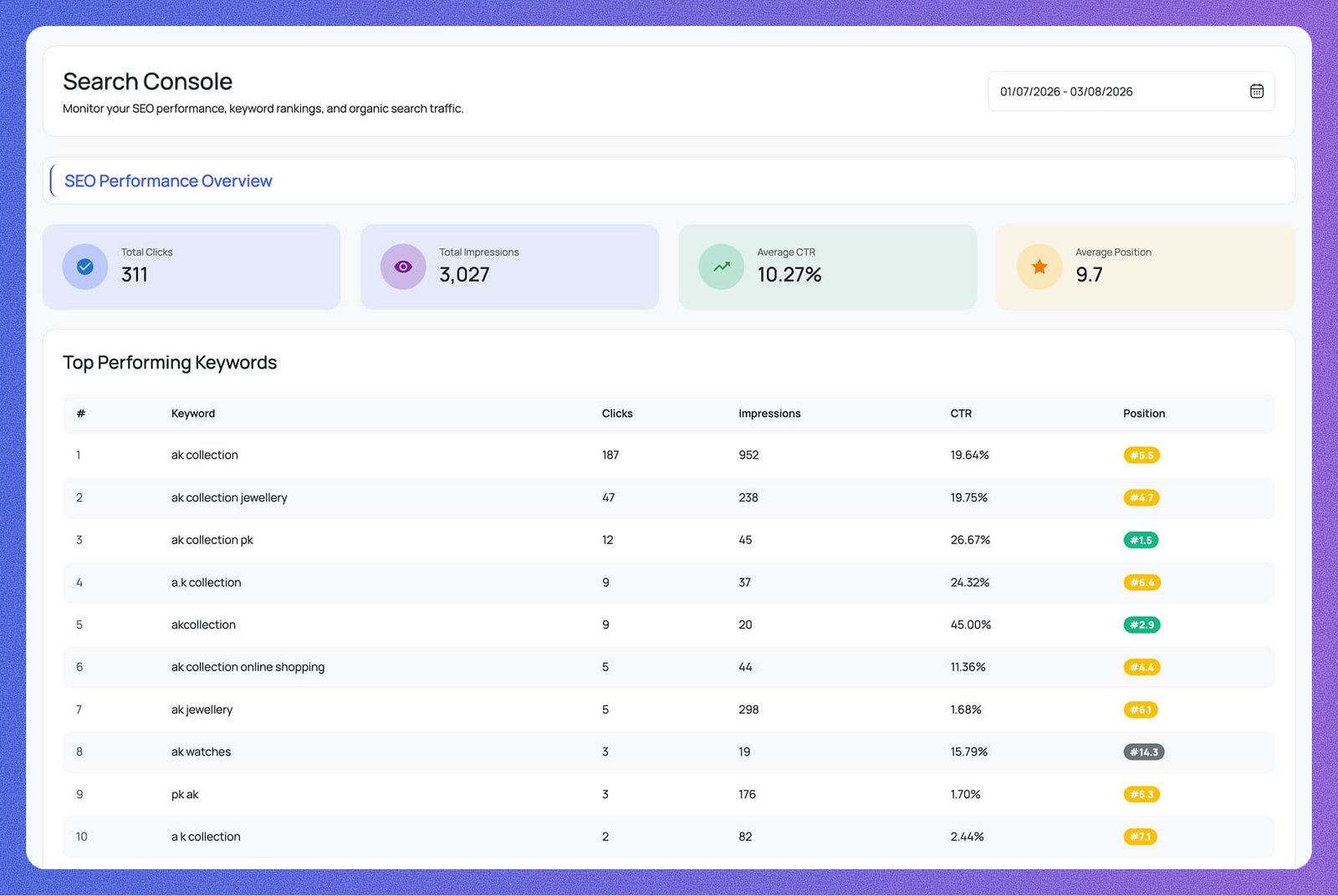
See your total clicks, impressions, average CTR, and average position at a glance — all synced live from your Search Console account.
Know exactly which search queries drive the most traffic. Track clicks, impressions, CTR, and ranking position for every keyword.
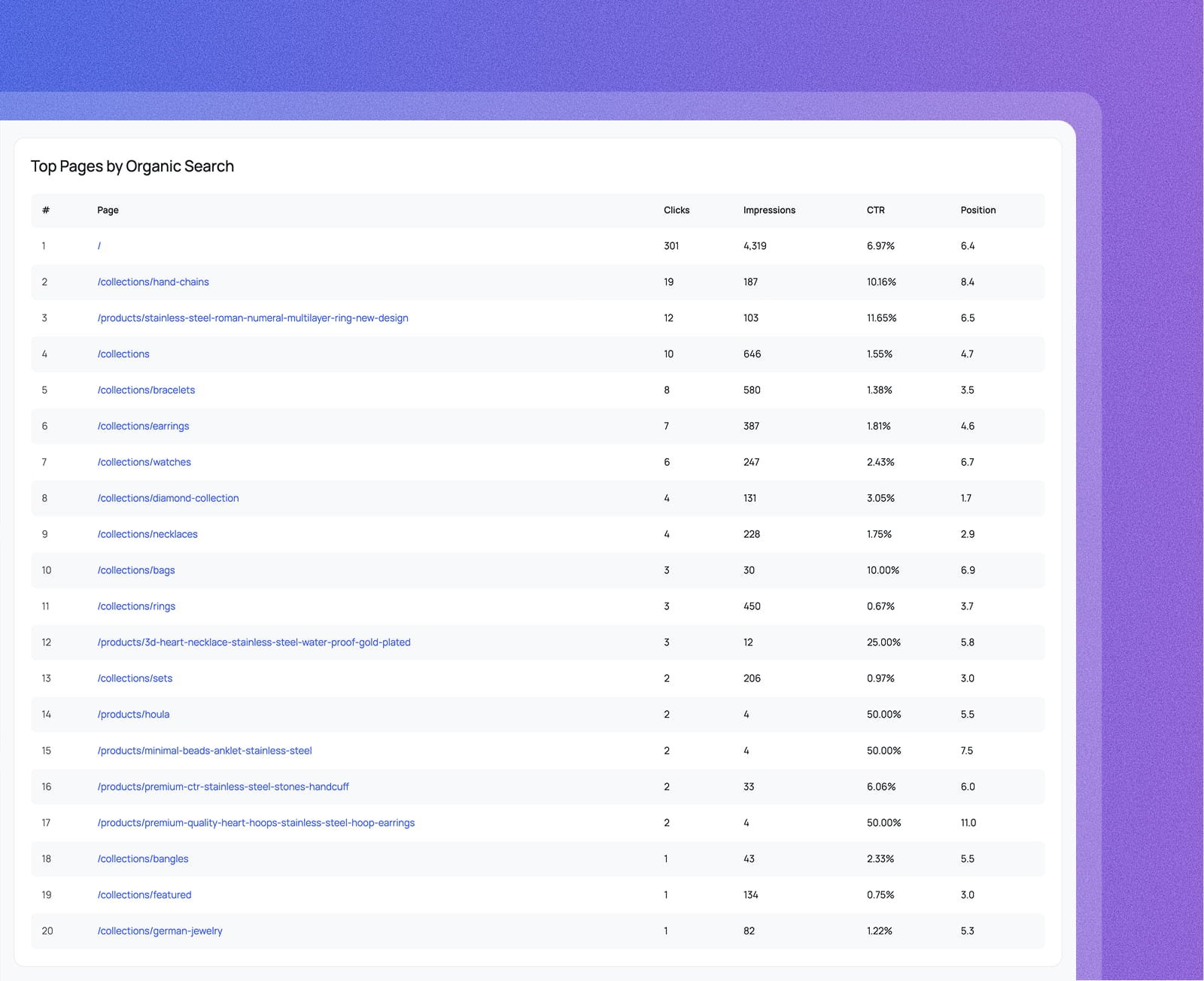
Discover which pages earn the most organic clicks and impressions. Identify your best-performing content and double down on what works.
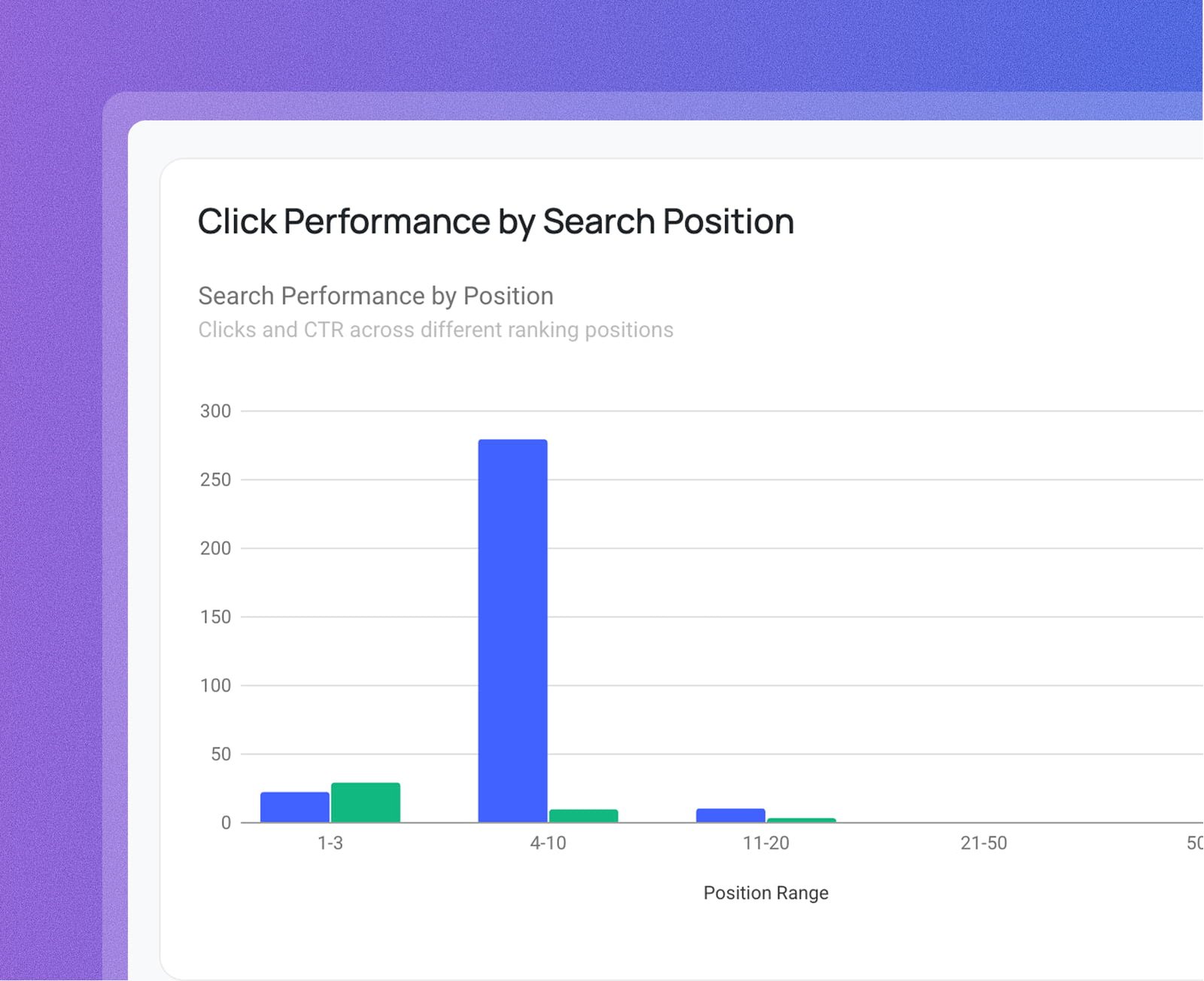
Visualize how clicks and CTR change across search positions 1–50+. Spot where ranking improvements will have the biggest traffic impact.
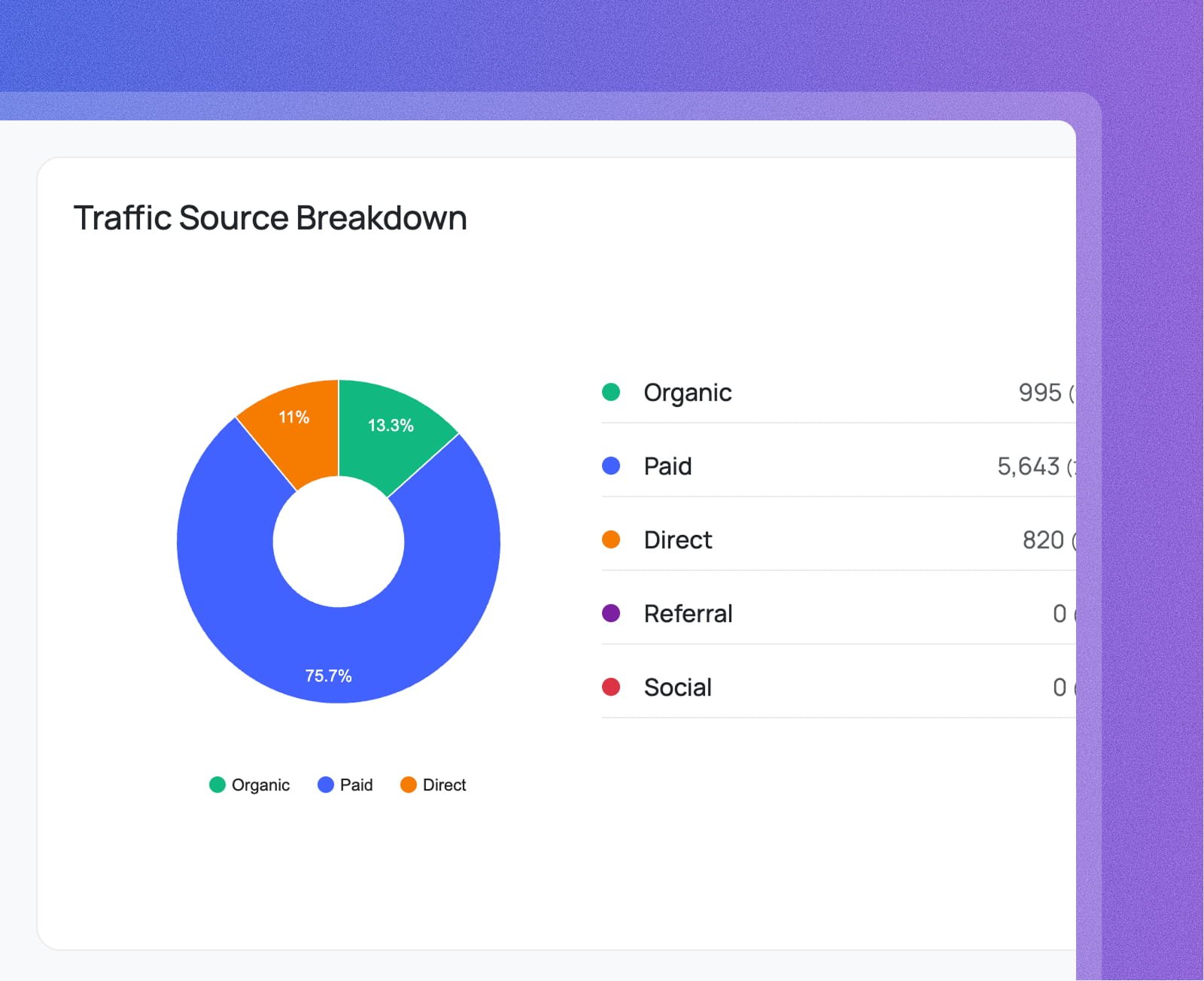
Understand exactly where your visitors come from — organic, paid, direct, referral, and social — all visualized in one clean chart.
Filter all Search Console reports by any date range. Compare periods to measure the impact of your SEO efforts over time.
Everything your Google Search Console dashboard shows — clicks, positions,
pages, and traffic sources — surfaced where you already work.
Get a ranked list of your top pages by organic clicks and impressions. Know which content earns the most visibility and where to focus your SEO efforts.
See a breakdown of clicks and CTR across every search position range. Find out exactly where you need to climb to unlock meaningful traffic gains.
Go beyond organic search — see how traffic is split across organic, paid, direct, referral, and social channels, all in one unified view.
Everything you need to know about Analytix and Google Analytics 4 for WordPress.