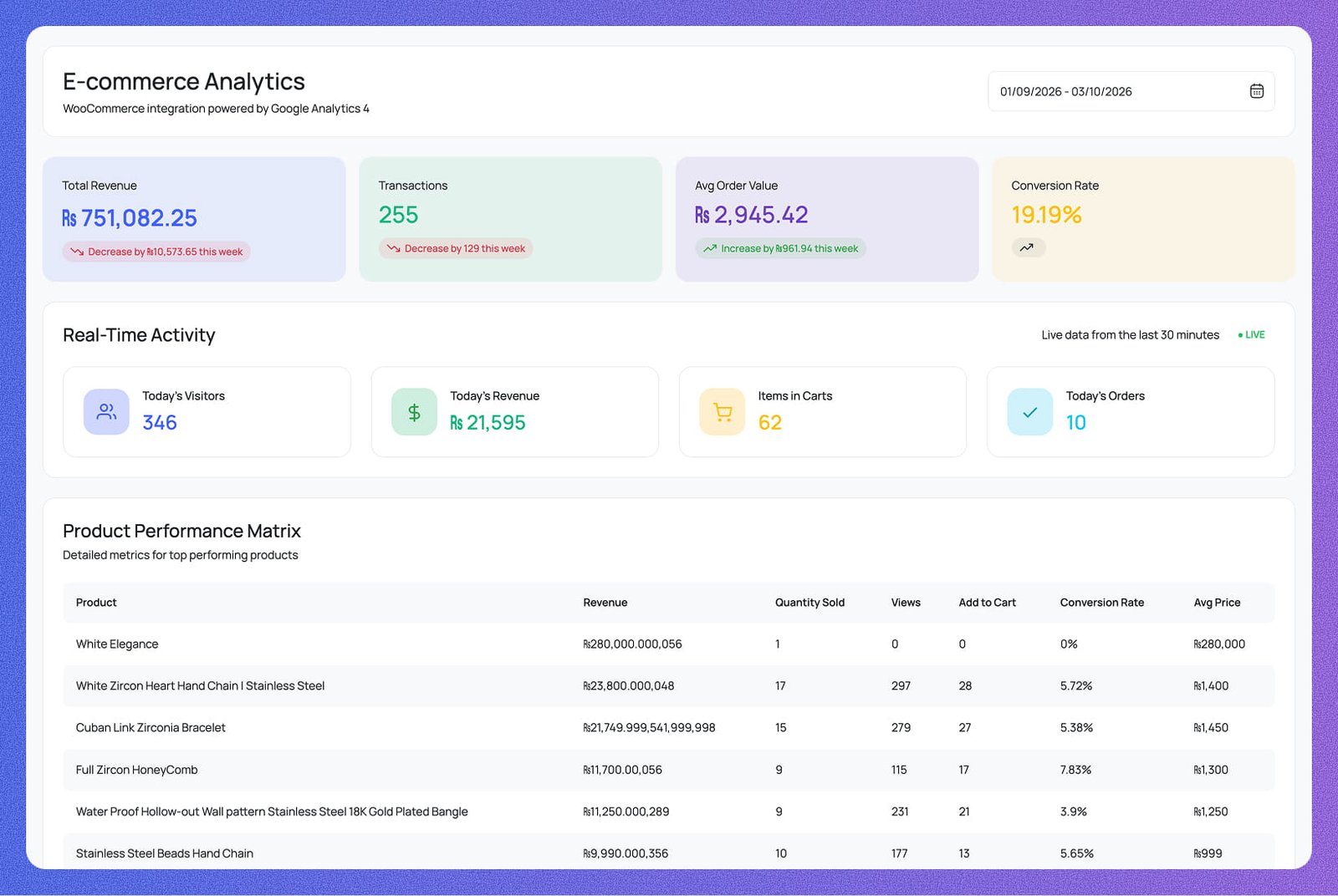
Connect your WooCommerce store to GA4 and monitor orders, revenue, conversion rates, and top products — all without leaving wp-admin.
Revenue trends, sales activity, purchaser tracking, and channel attribution —
all surfaced right inside your WordPress dashboard.
See live store data from the last 30 minutes — today's visitors, today's revenue, items in carts, and today's orders — all updating in real time alongside key metrics like total revenue, transactions, AOV, and conversion rate.
Compare every product across revenue, quantity sold, views, add-to-carts, conversion rate, and average price in a single detailed table. Instantly surface your top earners and identify products with high views but low conversions.
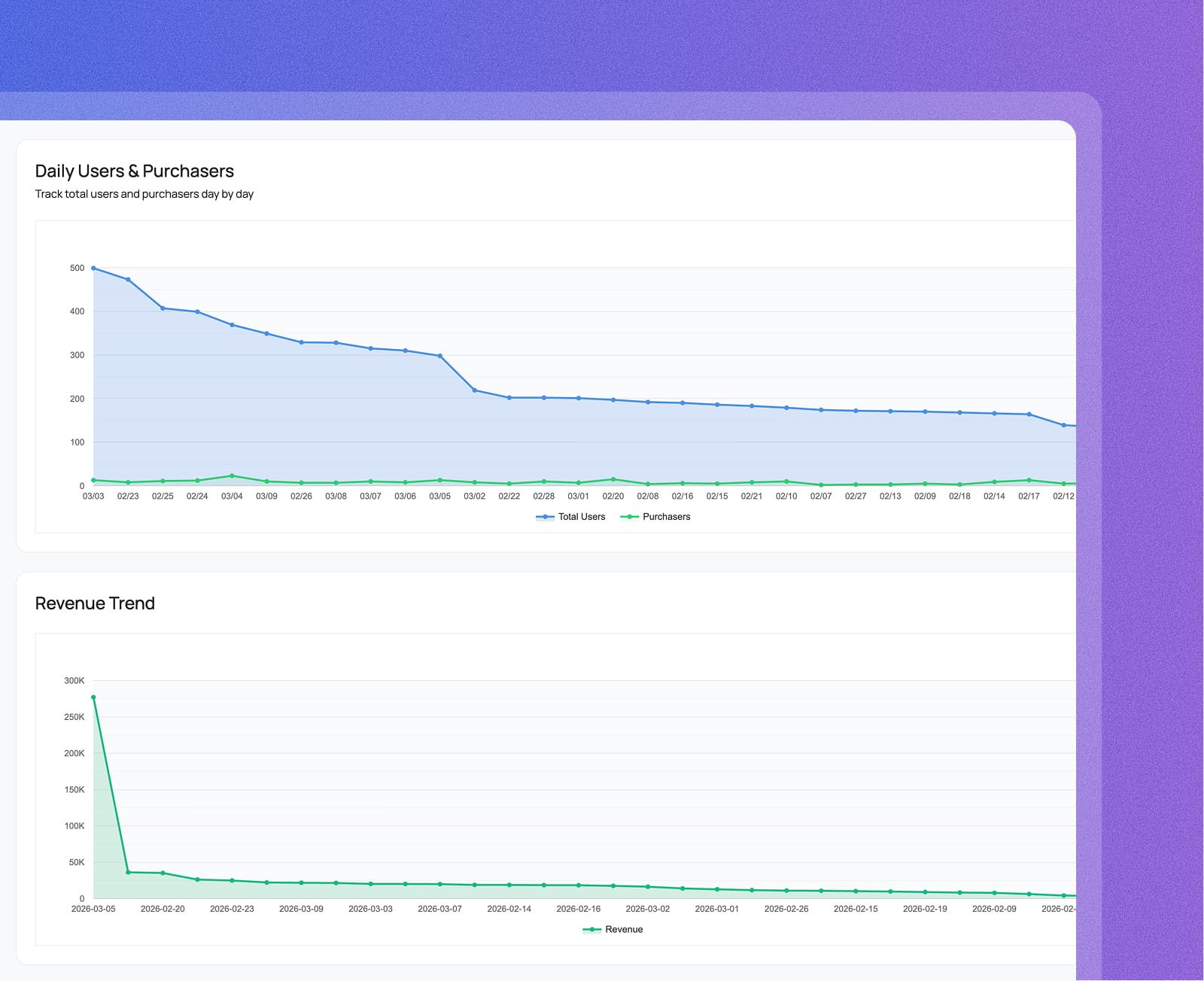
Track total users alongside purchasers on a dual-line area chart, day by day. The visual gap between the two lines shows exactly how many visitors are not converting — giving you a clear target to improve.
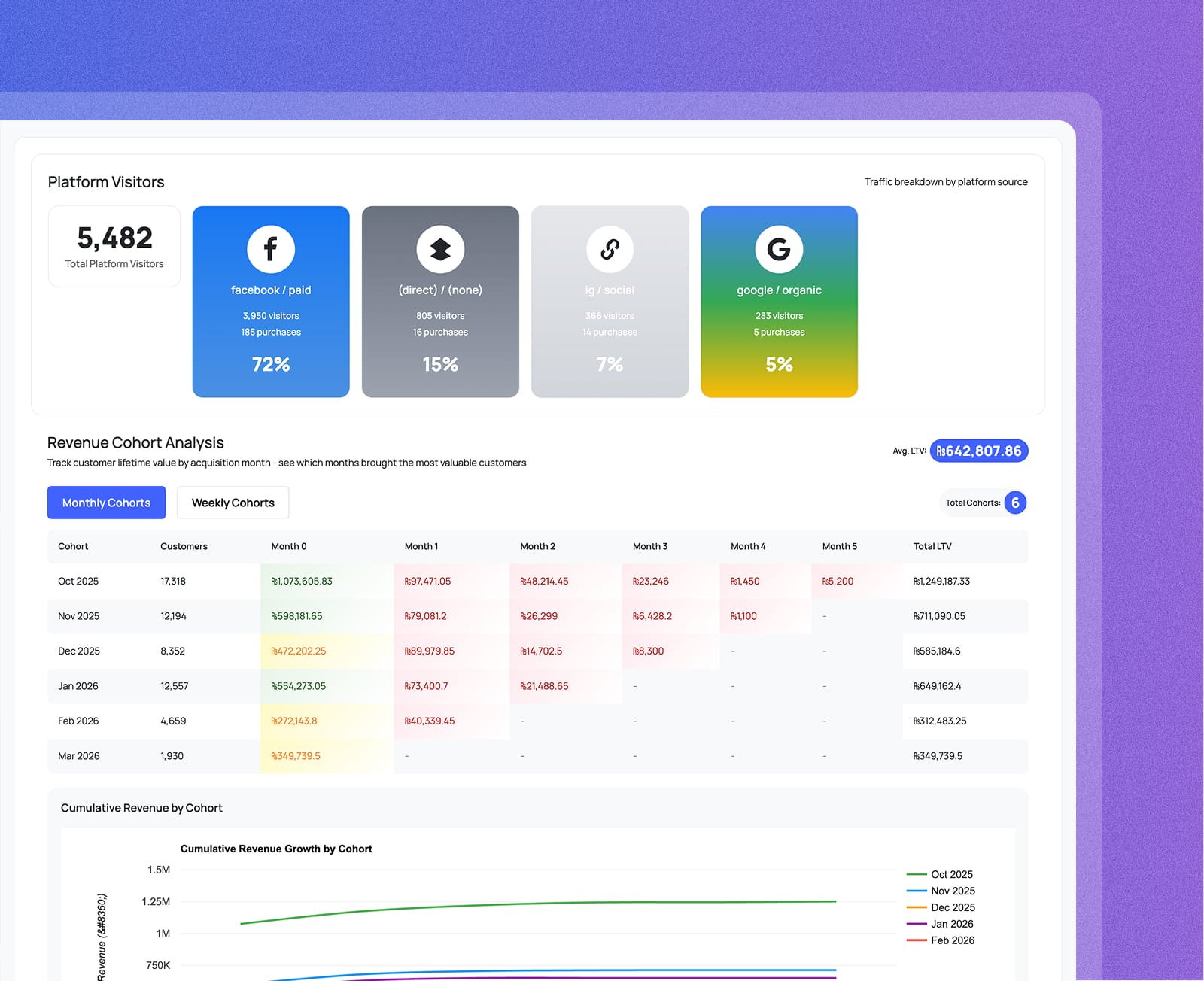
Visualize daily revenue on a smooth area chart, then drill into cohort heatmaps that track customer lifetime value month by month from acquisition. The cumulative revenue curve shows which cohorts generate the most long-term value.
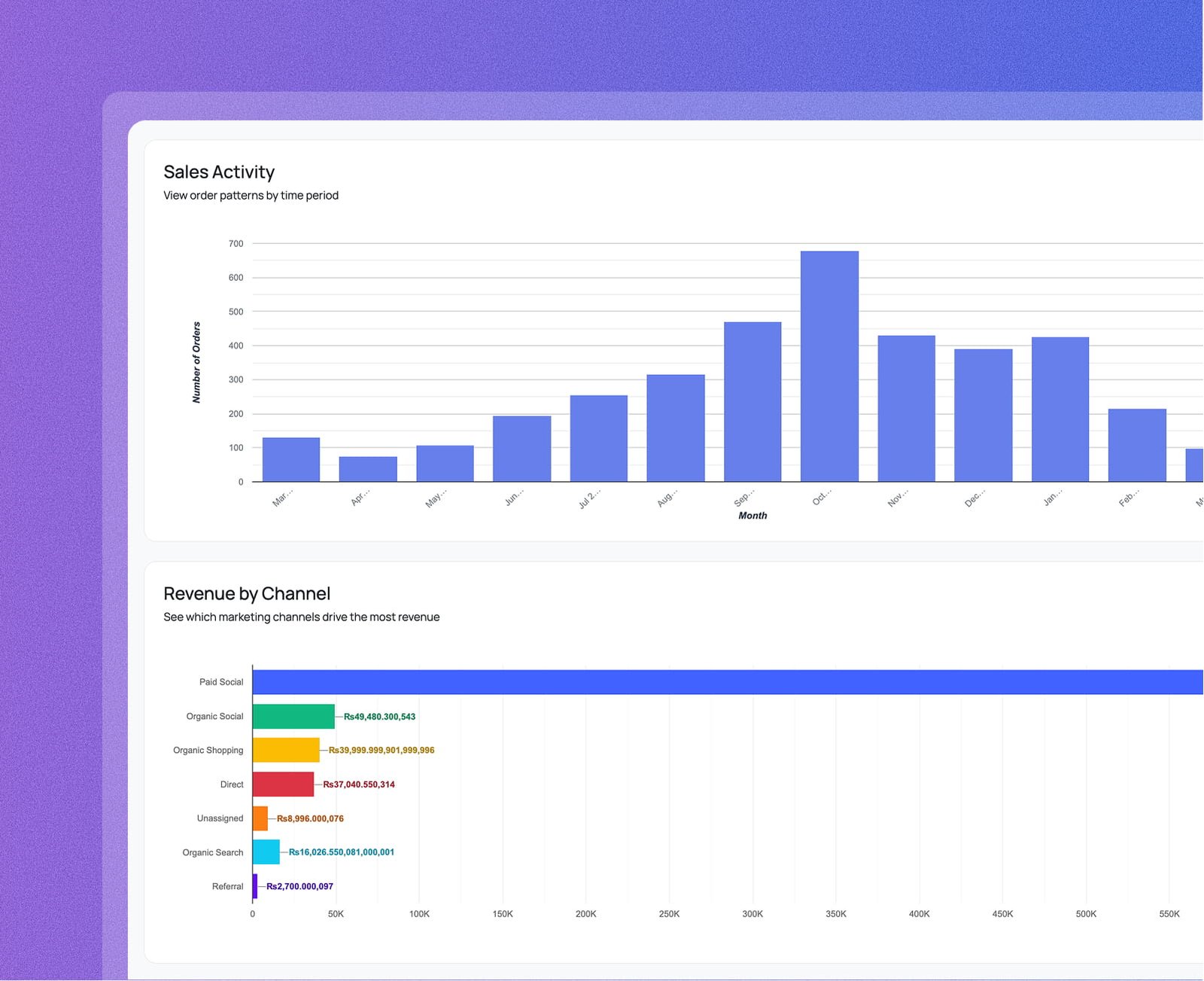
View order volumes as a bar chart switchable between monthly, weekly, and daily views. Pinpoint your peak sales periods — like an October spike — and time your promotions and stock replenishment around them.
See which marketing channels — paid social, organic social, organic shopping, direct, referral, and more — generate the most revenue in a color-coded horizontal bar chart. Know exactly where to double down your ad spend.
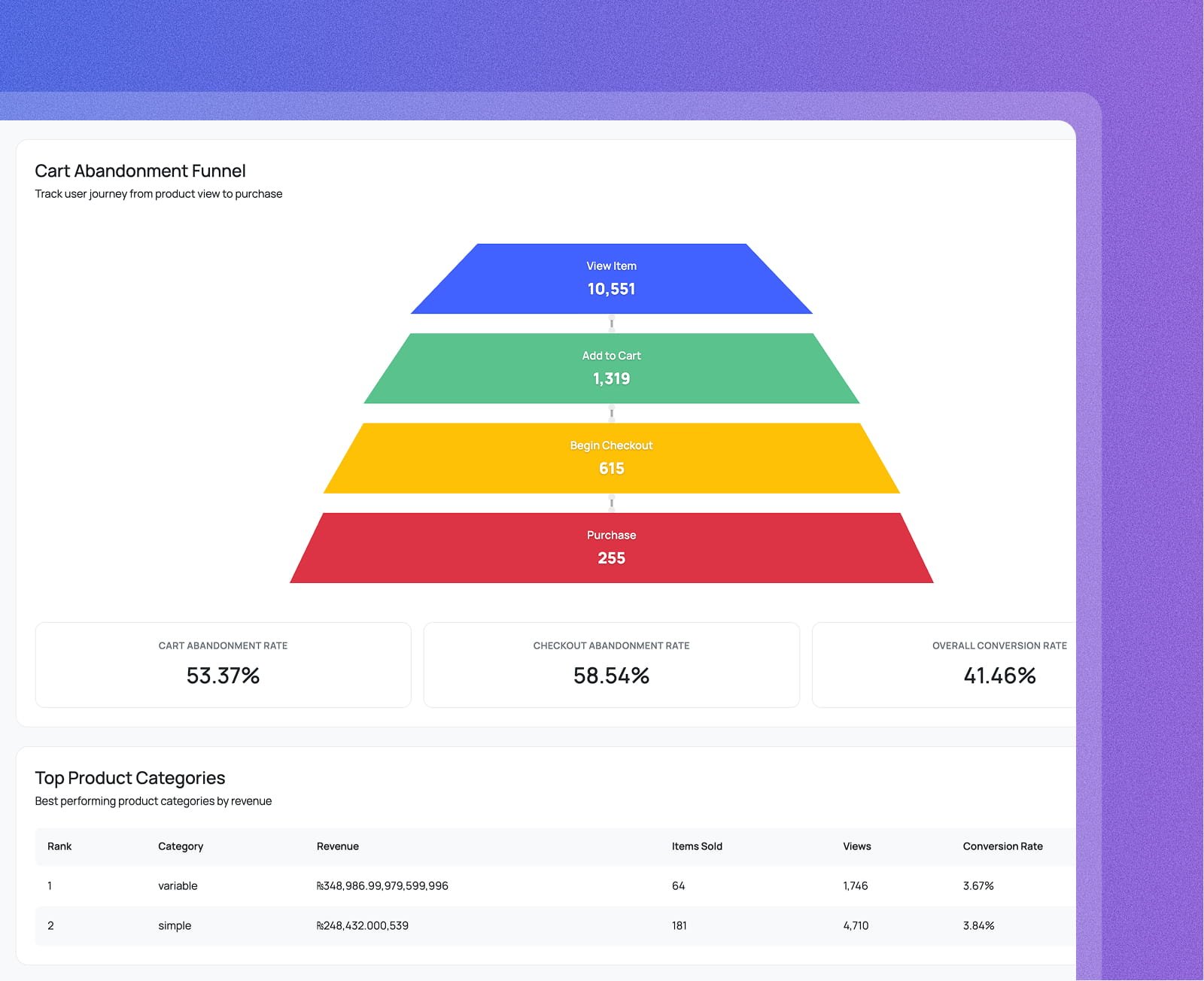
Visualize the full purchase journey — View Item → Add to Cart → Begin Checkout → Purchase — as a trapezoid funnel. Surface cart abandonment rate, checkout abandonment rate, and overall conversion rate at a glance.
Rank your product categories by revenue, items sold, views, and conversion rate. Then break your buyers into new vs. returning segments — each showing their own revenue, transactions, user count, and average order value with a pie chart split.
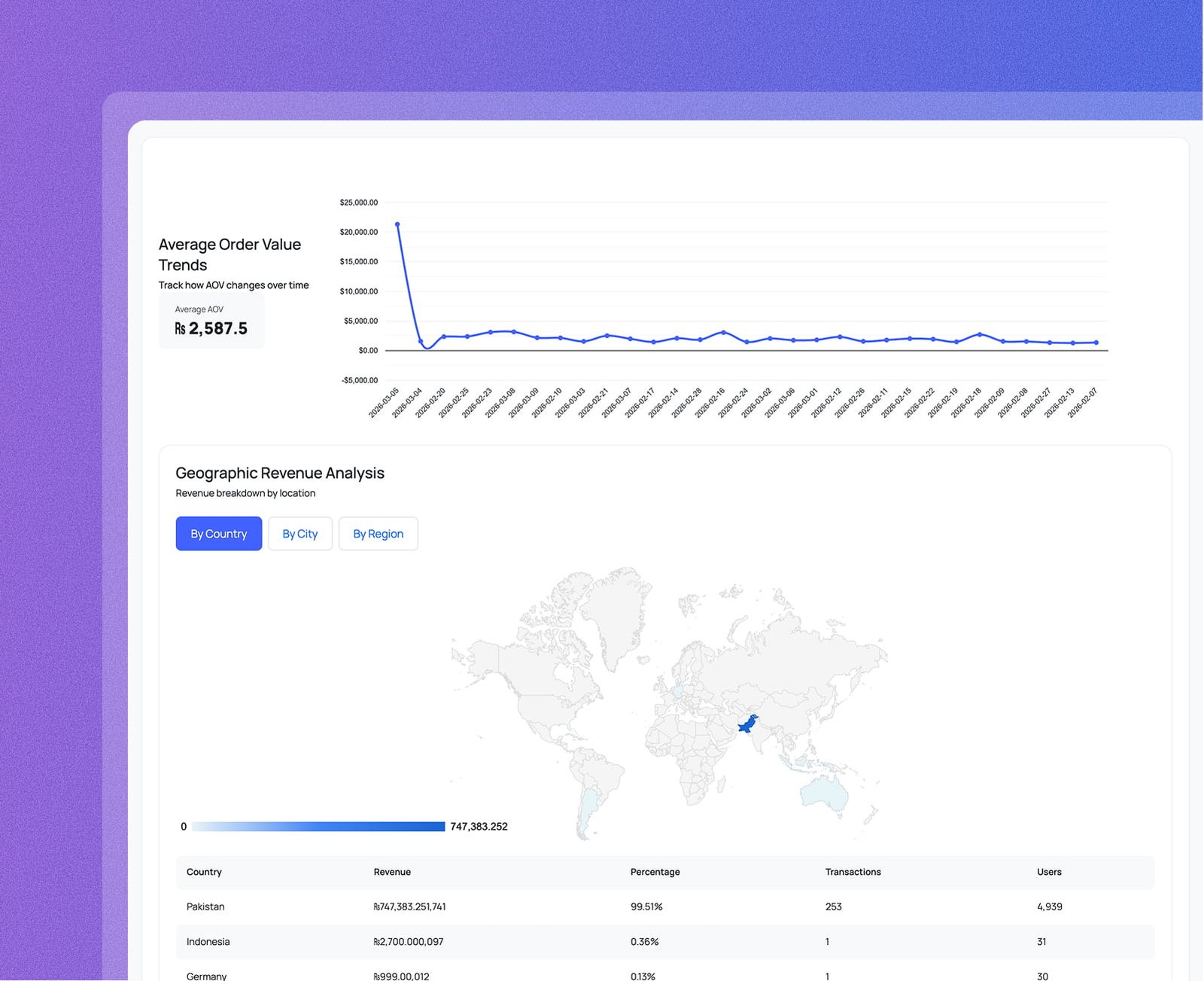
Track average order value over time on a line chart, see which countries and regions drive revenue on an interactive world map, and compare platform visitors and purchases across Facebook, Google, Instagram, and direct sources.
From daily buyer trends to cart abandonment and platform attribution —
everything your store needs to grow, right inside WordPress.
A dual-line area chart overlays total users and purchasers day by day. The space between the two lines is your conversion opportunity — shrink it with smarter offers and checkout improvements.
A bar chart of order counts, switchable between monthly, weekly, and daily views. Identify your highest-volume periods and plan inventory and ad budgets around your real sales rhythm.
A four-step trapezoid funnel — View Item, Add to Cart, Begin Checkout, Purchase — shows the exact volume at every stage alongside cart abandonment rate, checkout abandonment rate, and overall conversion rate.
A line chart plots your average order value day by day, with an overall average displayed alongside it. Quickly see whether upsells, bundles, or pricing changes are actually moving AOV in the right direction.
A platform breakdown shows total visitors and purchase share for each traffic source — Facebook paid, Google organic, Instagram, direct, and more — so you know exactly where your paying customers come from.
Everything you need to know about Analytix and Google Analytics 4 for WordPress.