See every campaign detected in GA4 — facebook/paid, google/organic, instagram/social, and more — with Sessions, Users, Conversions, and Revenue in one table. Build UTM links, create tracked campaigns, and measure performance without leaving wp-admin.
All GA4 campaigns, UTM link building, and per-campaign revenue tracking —
all surfaced right inside your WordPress dashboard.
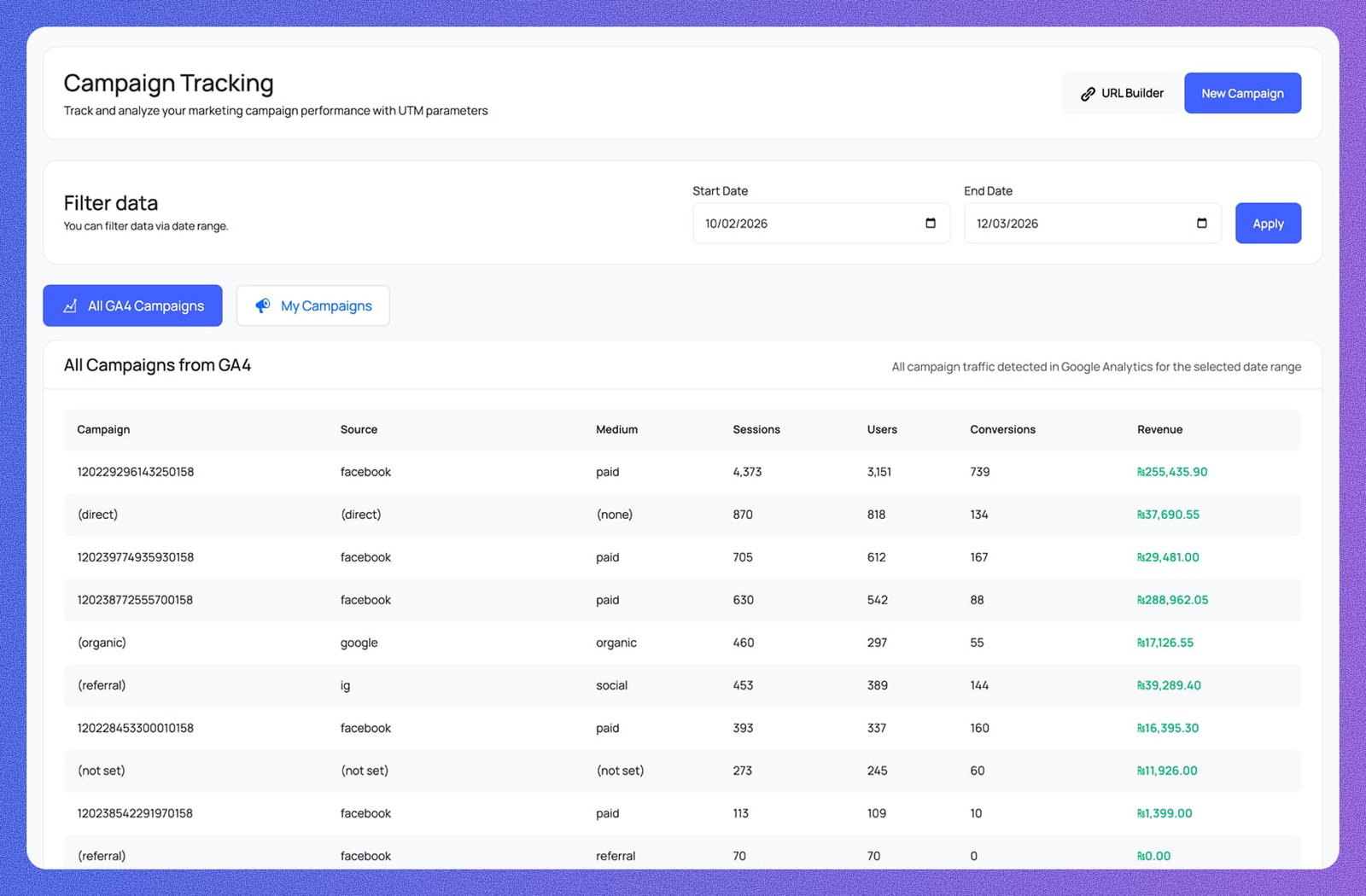
Every campaign detected in GA4 is listed with Campaign, Source, Medium, Sessions, Users, Conversions, and Revenue columns — all campaign traffic for the selected date range in one scannable table.
Set a Start Date and End Date, hit Apply, and every campaign row updates instantly. Filter to any window — a single promotion, a month, or a full quarter — without touching GA4.
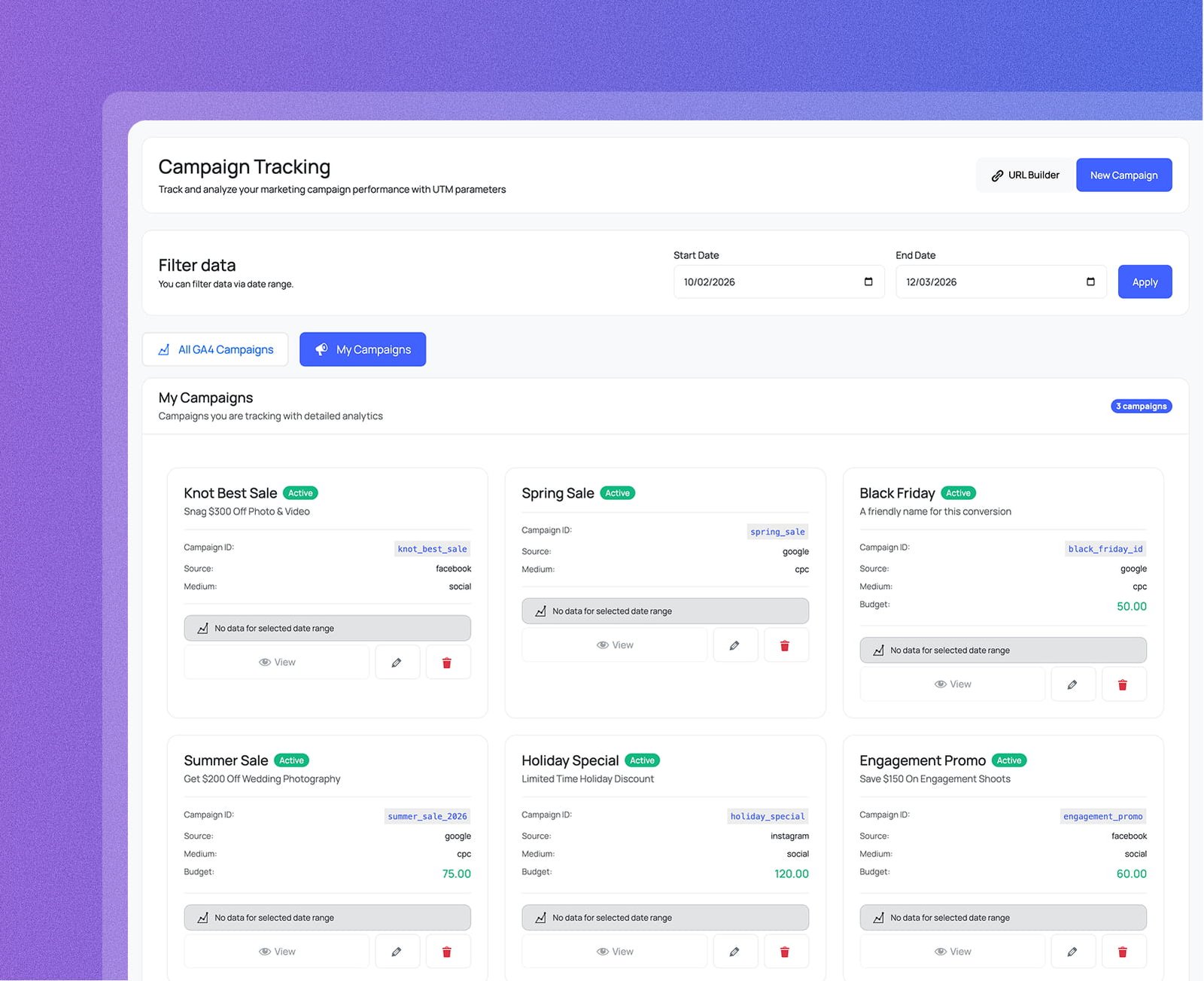
Switch between All GA4 Campaigns — every campaign GA4 has detected — and My Campaigns, which shows only the campaigns you've registered with active status, Campaign ID, Source, Medium, and budget.
Each registered campaign gets its own card showing Active status, Campaign ID, Source, Medium, and optional Budget. View GA4 performance, edit details, or delete the campaign — all from the same card.
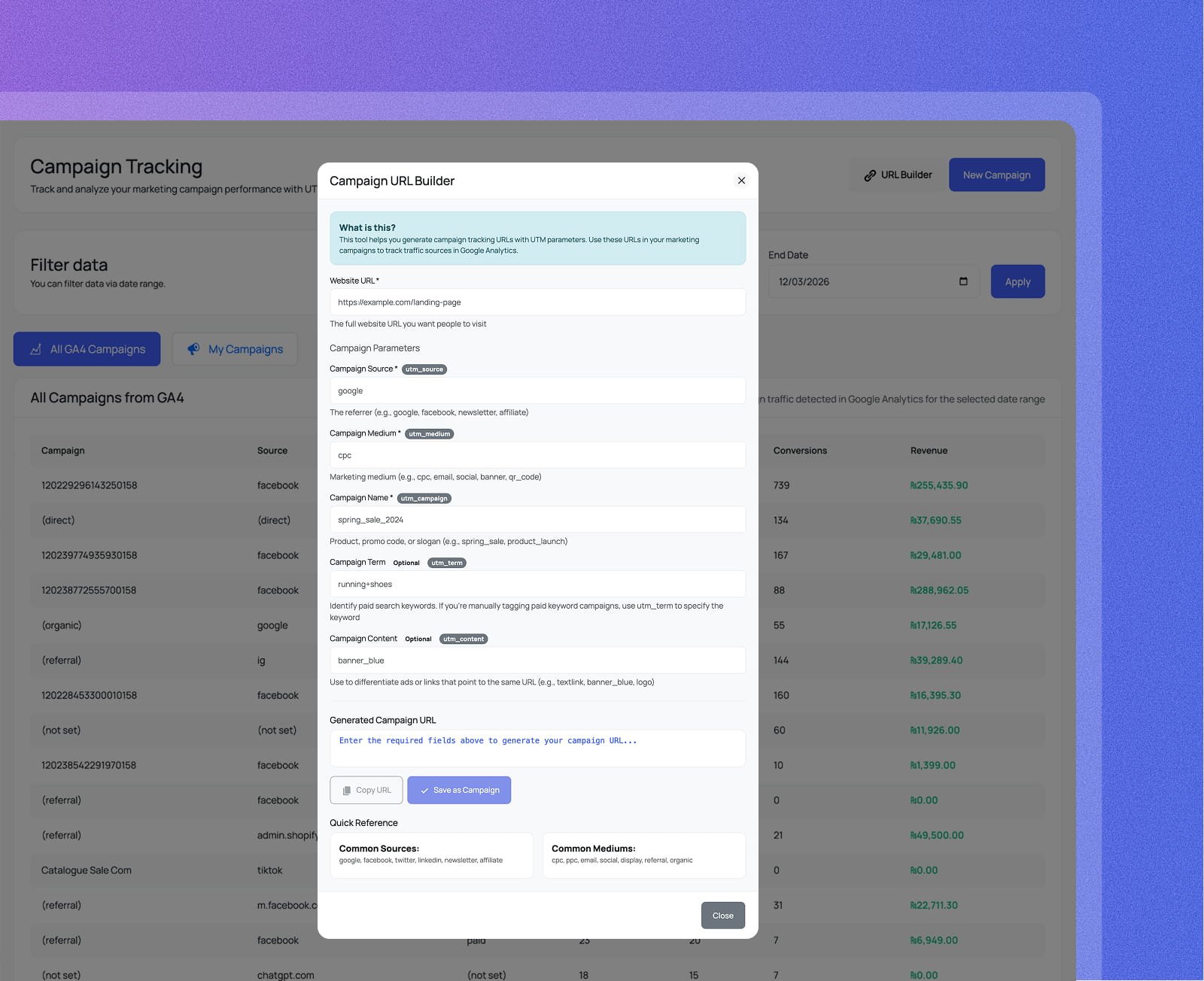
Enter your Website URL, utm_source, utm_medium, utm_campaign, and optional utm_term and utm_content — the tagged URL is generated instantly. Copy it in one click or save it directly as a new campaign.
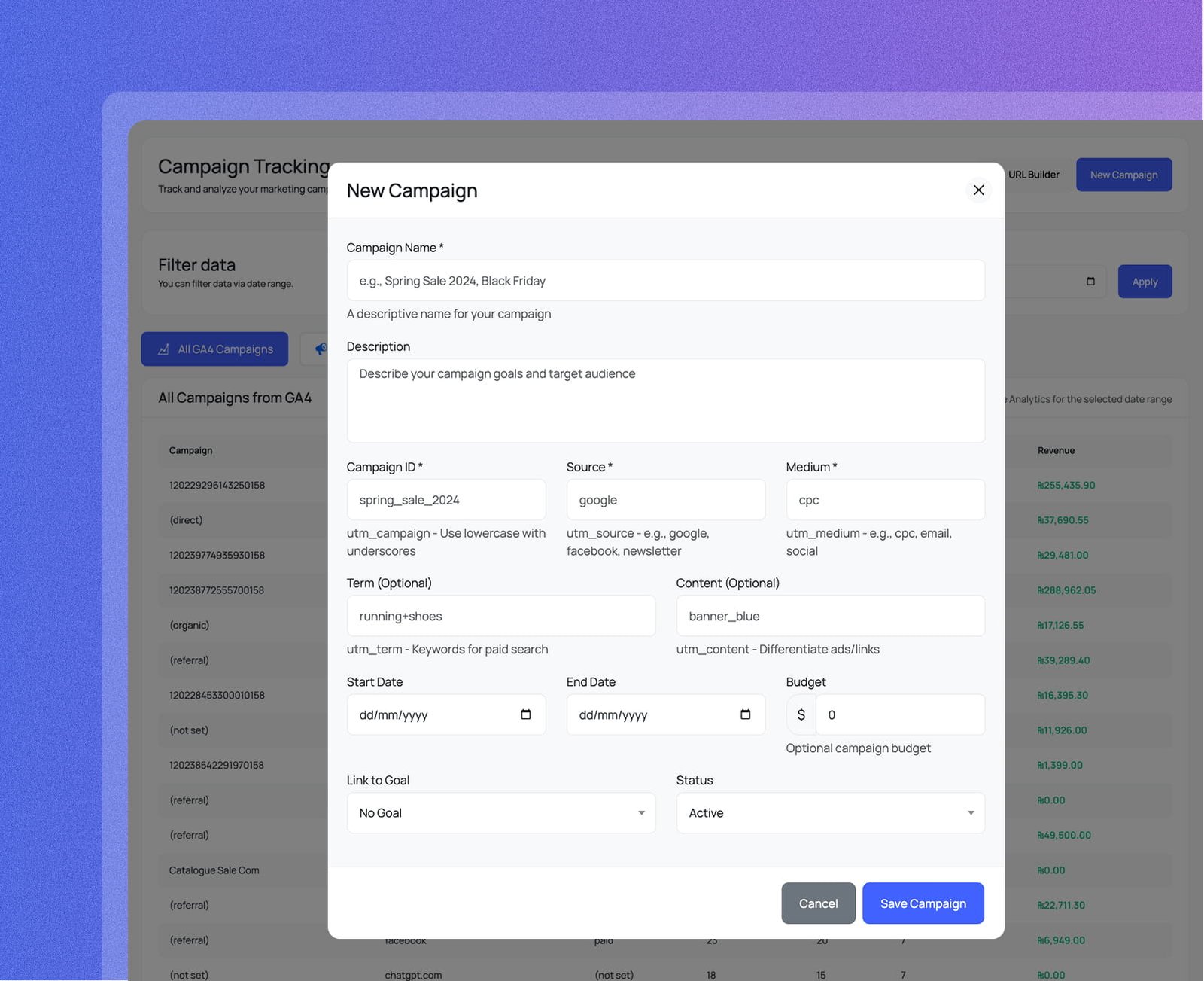
Register a new campaign with a name, Campaign ID, Source, Medium, optional Term, Content, date range, budget, and a linked goal. It appears in My Campaigns immediately with Active status and full GA4 tracking.
All GA4 campaigns with source, medium, sessions, conversions, and revenue —
plus a built-in UTM builder so every link you create is trackable from day one.
The All GA4 Campaigns table lists every campaign GA4 has detected — Campaign name, Source, Medium, Sessions, Users, Conversions, and Revenue — all filtered by any date range you choose.
Click URL Builder to open the Campaign URL Builder modal. Fill in your Website URL, utm_source, utm_medium, utm_campaign, and optional utm_term and utm_content — the tagged URL is generated instantly.
Click New Campaign to open the form. Give your campaign a name, Campaign ID, Source, Medium, optional Term, Content, date range, and budget — then link it to a goal and set its status to Active.
Everything you need to know about Analytix and Google Analytics 4 for WordPress.