Set up scheduled email reports and goal-progress alerts — all from inside WordPress. Choose your recipients, pick a frequency, select the metrics you care about, and Analytix sends the report automatically. No GA4 login needed.
Scheduled reports, customisable stat sections, and delivery controls —
automated analytics emails without leaving WordPress.
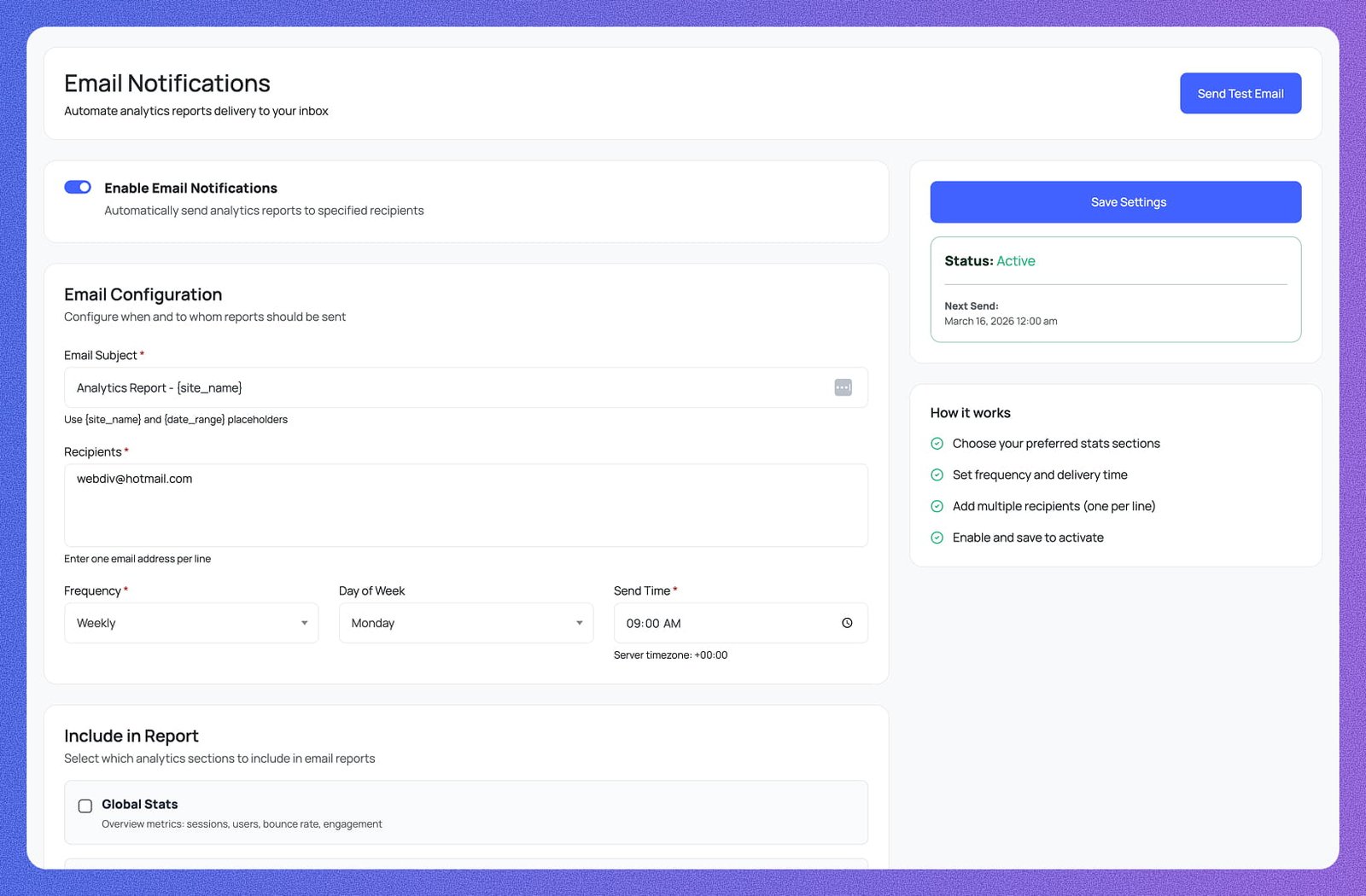
A single toggle activates or pauses all automated analytics report delivery. When enabled, Analytix automatically sends reports to your specified recipients — turn it off at any time without losing your configuration.
Set a custom email subject using [site_name] and [date_range] placeholders so every report is clearly labelled. Add recipients one per line — team members, clients, or stakeholders all receive the same automated report.
Choose Daily, Weekly, or Monthly delivery. For Weekly reports, pick the Day of Week — e.g. Monday. Set the exact Send Time so reports arrive when they're most useful. The server timezone is shown so scheduling is always accurate.
A sidebar panel shows the current Status — Active or Inactive — and the exact Next Send date and time. You always know when the next report will go out and can adjust the schedule or pause delivery before it fires.
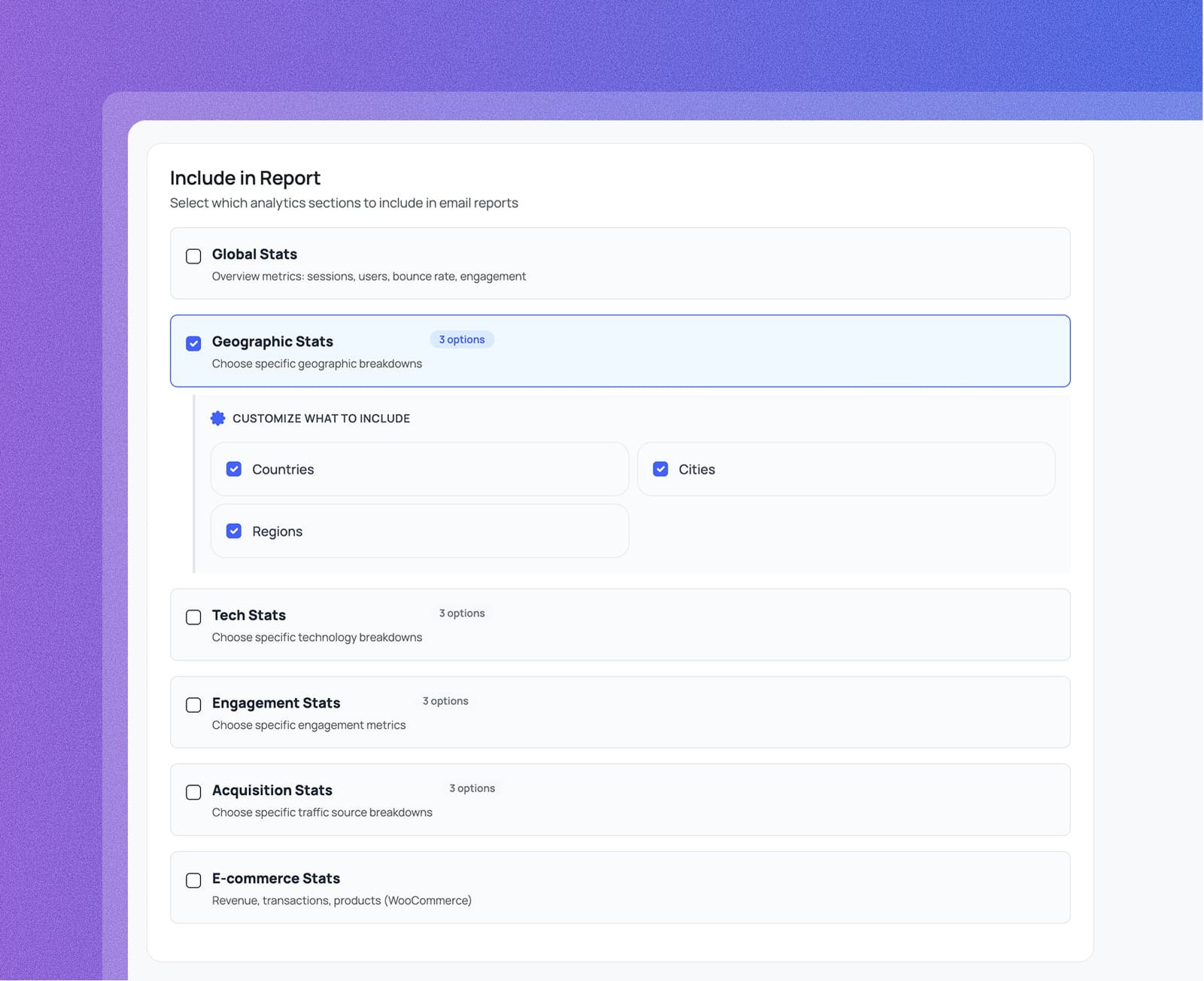
Select exactly which sections appear in every report — Global Stats, Geographic Stats, Tech Stats, Engagement Stats, Acquisition Stats, and E-commerce Stats. Check only what's relevant so recipients get a focused, readable email.
Every enabled section expands to show sub-options — Geographic includes Countries, Cities, and Regions; Tech includes Browsers, Operating Systems, and Device Categories; Acquisition includes Channels, Sources/Medium, and Source Platforms.
Configure, schedule, and customise automated GA4 reports —
the complete notification setup without leaving wp-admin.
Set your email subject with dynamic placeholders, add recipients one per line, choose a frequency and send time, then select exactly which stat sections to include — Global, Geographic, Tech, Engagement, Acquisition, and E-commerce.
[site_name] and [date_range] placeholders, add recipients one per line, and pick Frequency, Day of Week, and Send Time in one screen.
Everything you need to know about Analytix and Google Analytics 4 for WordPress.